
Nineteen local log sources
Combine records from tools including Claude Code, Codex, Gemini CLI, OpenCode and Cline. Available statistics depend on the information each source records.

CodePulse brings AI coding activity from supported local logs into a native Mac app. See today in the menu bar, then explore sources, projects, reference costs and optional account quotas in a separate analysis window.
Mac · macOS 14+

Combine records from tools including Claude Code, Codex, Gemini CLI, OpenCode and Cline. Available statistics depend on the information each source records.
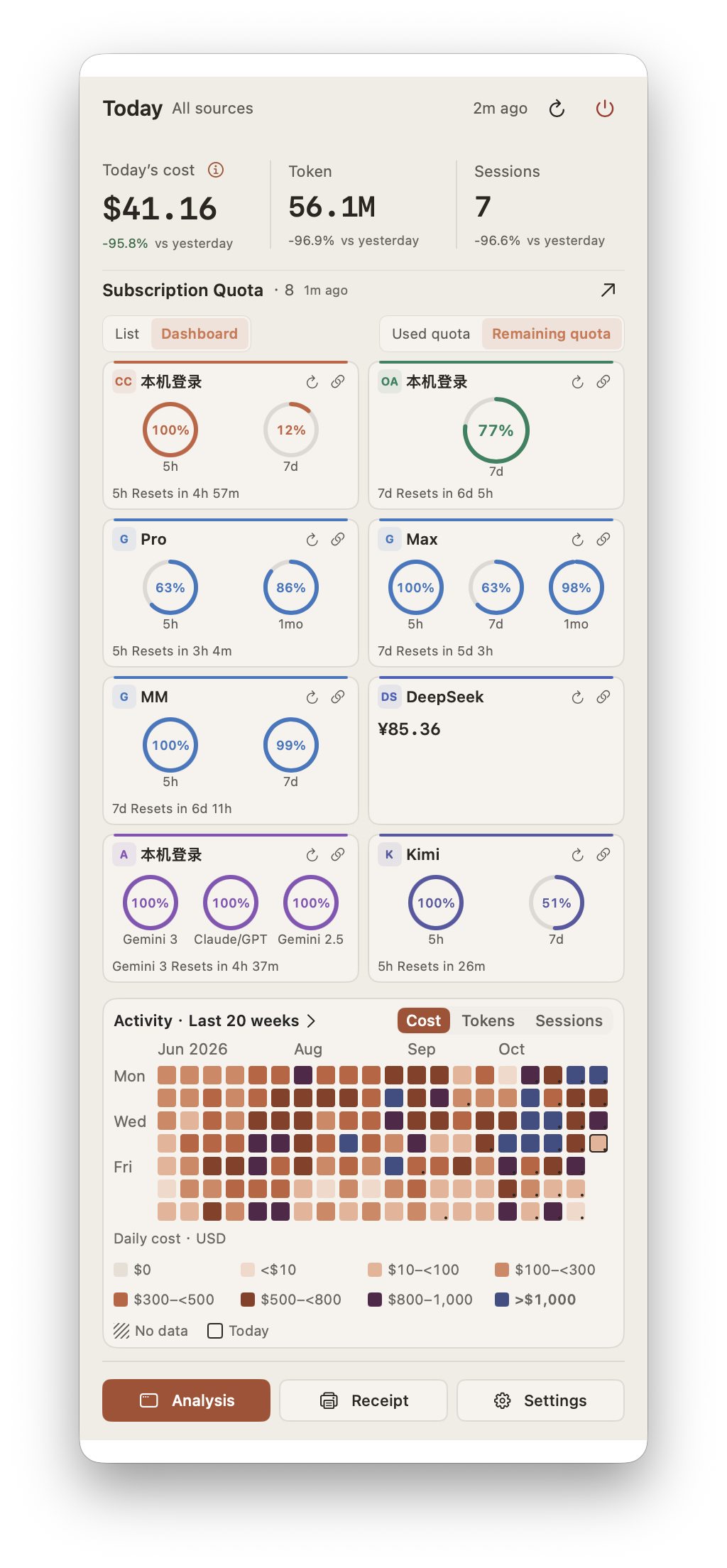
Check today’s reference cost, tokens and sessions in the menu bar. Use the analysis window to filter by date, source and project without changing that overview.
Use the annual heatmap and 20-week mini heatmap, then explore hourly, daily, weekly or monthly changes in reference cost, tokens and sessions.
Review tokens × reference unit price for input, output and cache reads or writes. Available historical prices take priority, with a possible latest-price fallback.
Add named connections for supported providers and reorder accounts or providers. See only the usage windows, reset times and balances actually returned by the integration.
Explore model distribution and tool-call rankings. Where source logs include the records, also review lines added and deleted by programming language.
Export JSON or CSV for further analysis, or print a thermal-style usage receipt and save it as a transparent PNG.
Start with today’s tokens and sessions, then look into the sources and models behind the activity.
Filter the analysis window to understand how logged usage and reference amounts change across the work you select.
Save a usage receipt for a date range or export statistics when you want to archive or analyze them elsewhere.
Calculation details separate input, output and cache reads or writes. Follow the token quantity and unit price used for each part of the reference amount.
Inspect tokens × reference unit price = amount.
Use available historical prices, with a possible latest-price fallback.
API reference amounts use USD and are not provider charges or subscription bills.
Price coverage and log completeness can affect the result.

Keep multiple named connections for a provider and arrange them in the order you prefer. Each account shows the fields its integration and permissions actually make available.
Use supported credentials on your Mac or add them manually.
View available usage windows, reset times or balances.
Manually saved secrets are stored in macOS Keychain.
Online queries require a valid account and relevant permissions.
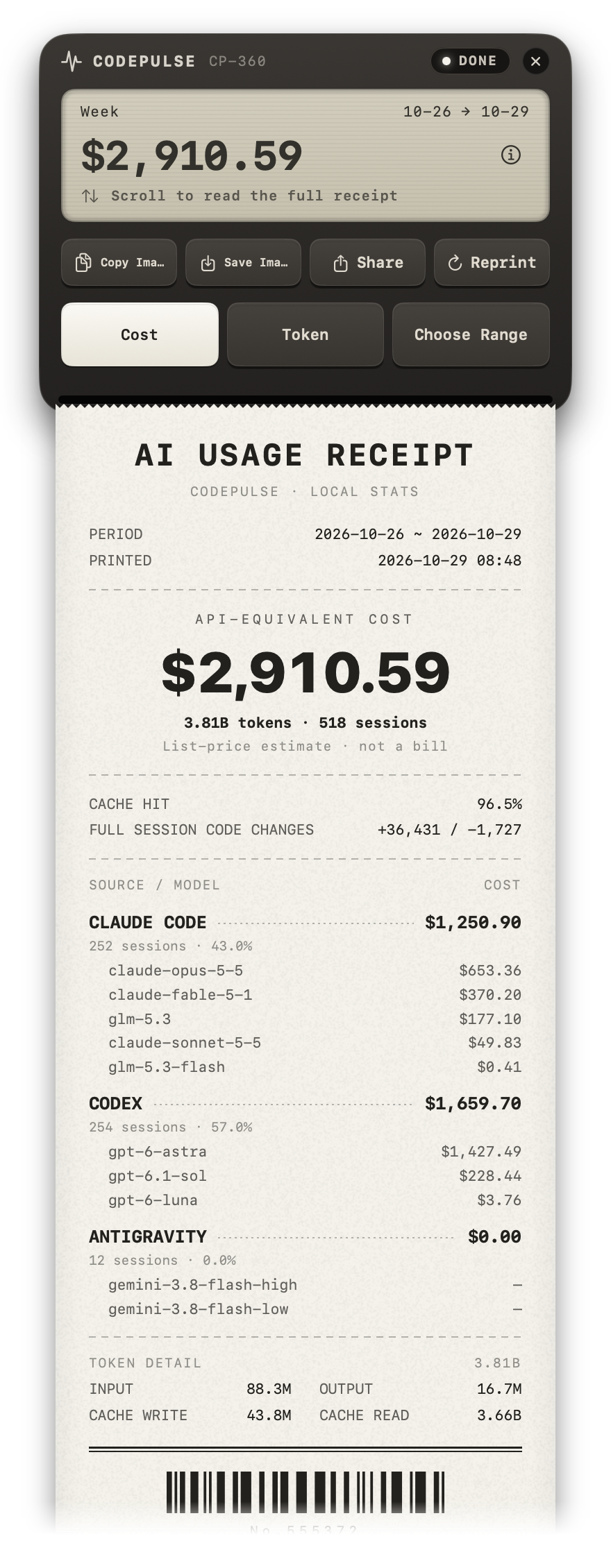
Choose a date range, review its usage summary and inspect model amounts or calculation details. Keep the receipt image or export the underlying statistics for another view.
Choose today, this week, this month, the last 30 days, all time or a custom range.
Print and tear off a thermal-style receipt.
Save a transparent PNG, or export JSON and CSV statistics.
The receipt is a usage summary, not a provider bill or proof of payment.
Authorize the supported log folders you want to analyze. Local statistics need records created by the corresponding tool.
Optionally add supported account connections when you want online usage windows, reset times or balances.
Use the menu bar or analysis window, select a useful range and export statistics or save a receipt.
CodePulse supports local records from 19 tools, including Claude Code, Codex, Gemini CLI, Antigravity CLI, OpenCode and Cline. Token, cost, tool-call and code-change data vary by source. Local-source support and online-account support are separate integrations.
No. It is calculated from logged token usage and public reference prices, with available historical prices preferred and a possible latest-price fallback. API reference amounts use USD; account balances keep the currency returned by the API. Coverage, service tiers and incomplete logs can affect the result.
Optional online features query the relevant provider; some integrations read authorized local records. They require a valid account and permissions, and show only the windows or fields actually supplied. Manually saved secrets use macOS Keychain.
Session records are parsed and cached on your Mac without uploading conversations or code. You control source-folder access and can clear local caches. Pricing and exchange-rate updates, plus optional account queries, require network access.
Export statistics as JSON or CSV, or save a usage receipt as a transparent PNG. A receipt summarizes recorded usage and reference amounts; it is not a bill or payment document.
CodePulse requires macOS 14.0 Sonoma or later. Local analysis needs supported tool logs; optional online quota or balance features also need valid account access.
Need a hand? Visit support
Keep today’s overview close, explore the details when you need them and save a clear record of your usage.
Requires macOS 14 or later. Reference costs and usage receipts do not represent provider bills.
Mac · macOS 14+